Stop paying for containers you forgot about.
UTX Freight checks the terminals for you and warns you before the last free day. Dispatch, drivers and billing live in the same system, built for Quebec and Ontario carriers.
- Terminals checked Every 10 minutes
- Order updated Status, ETA, holds, customs
- Alert raised Last free day today, tomorrow or the day after
- Daily digest Sent to your team by email
Three more problems it takes off your desk
Dispatch on a whiteboard
One board shows every open move with ETA, last free day, cutoff, chassis and driver. Filter it by day, terminal, status or tag.
Fuel surcharge by calculator
With the fuel surcharge module, you set the monthly rate once, add customer overrides, preview the change, then update open orders in one step.
"Where is the container?" calls
Customers get their own portal login to see their orders and signed proofs of delivery.
Container tracking
Know when a box is ready before anyone calls you.
- CN
- Port of Montreal
- Montreal Gateway Terminals
UTX Freight checks the CN rail terminal, the Port of Montreal terminals (Termont and Viau) and Montreal Gateway Terminals every 10 minutes for the orders in progress. Availability, holds, customs release, ETA and the last free day appear on the order, with the change history.
A Container Alerts page groups what needs attention: pickup ready, customs released, last free day approaching and departed. Your team can subscribe to a daily email digest.
Drivers
No app to install. No password to forget.
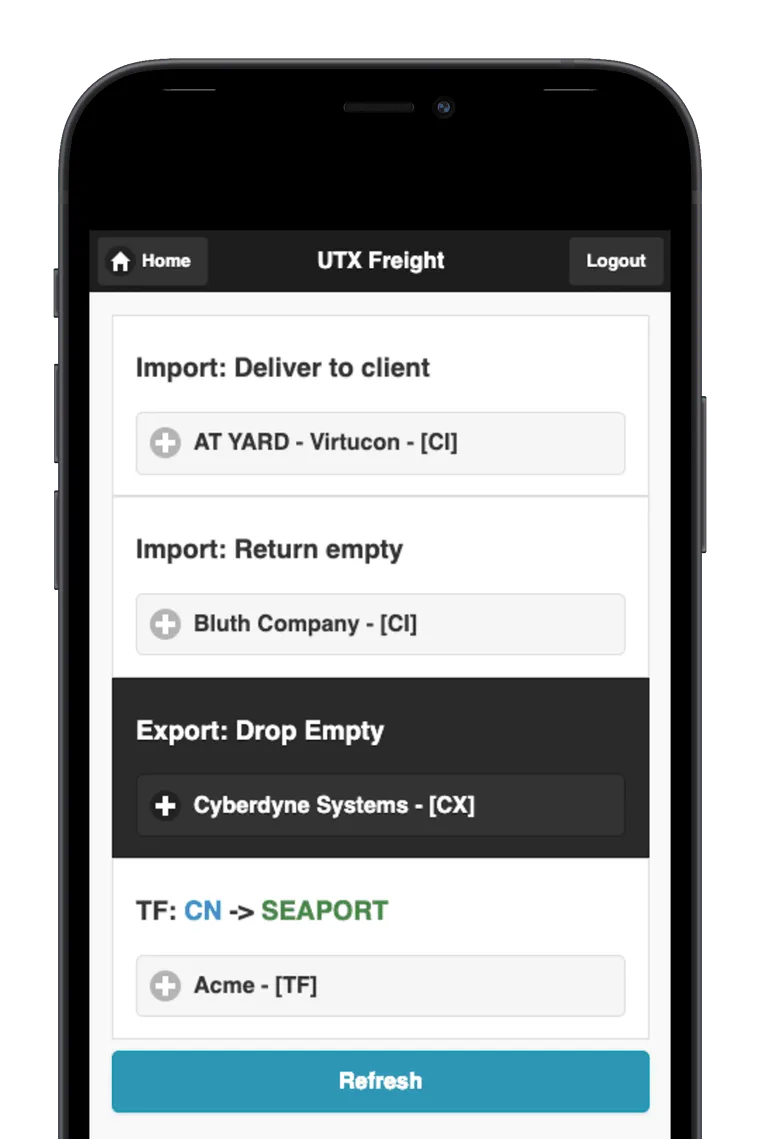
Drivers open UTX Freight in any phone browser. They see their assigned moves, record seal numbers and waiting time, and collect a finger signature at delivery. The container status updates on its own.
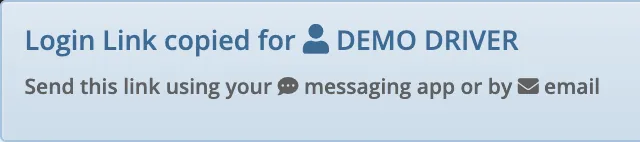
With the driver login links module, dispatch sends each driver a one-tap link that works for 24 hours. Drivers can also sign in with an access code.
- Signed proof of delivery attached to the order right away
- Optional text message to tell a driver about a new move
Billing and receivables
Invoice the day the move is done.
Completed orders turn into invoices with GST and QST applied. Send invoices and customer statements by email, schedule statements to go out every week or twice a month, and see who owes what in the aged receivables report.
- Invoice export in QuickBooks import format
- EDI 210 invoice export when your customers require it
- Income, sales and delivery reports by customer, shipper and zone
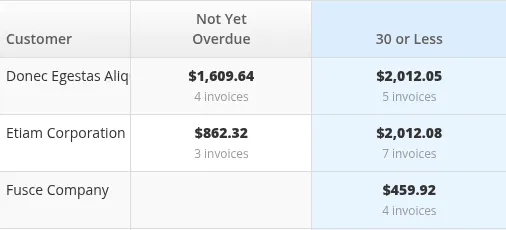
What the screenshot shows
- 01Balances grouped by days overdue
- 02Invoice count under each balance
- 03One row per customer
Equipment
Don't send out a chassis that is overdue for inspection.
Track chassis and trailers with plate, lessor, inspection date and mechanical status. UTX Freight warns you at assignment time when a unit is due, past due or flagged for repair.
Need a shop module too? See UTX Garage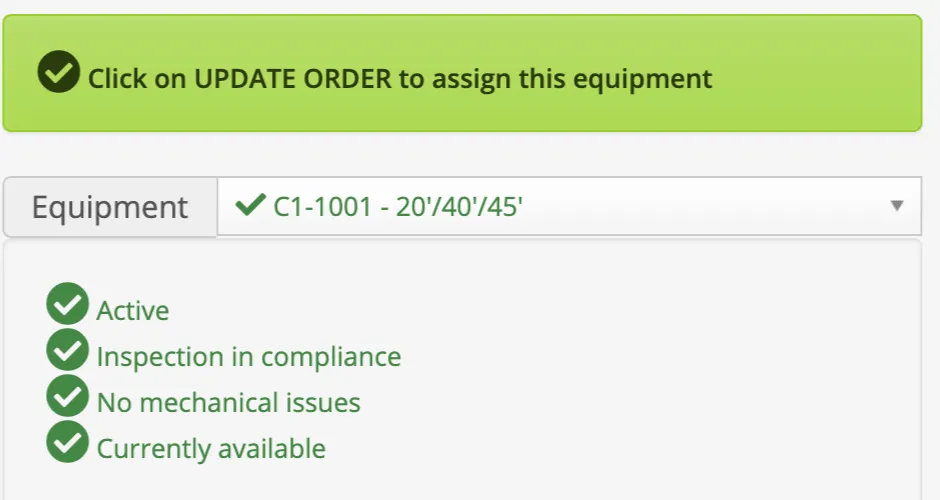
Start with dispatch and invoicing. Add the rest when you need it.
The core system covers orders, dispatch, drivers, equipment and billing. Turn on a module when your operation needs it, and it is added to your monthly subscription with no setup fee.
- Track and Trace: CN and Port of Montreal
- Automatic container status, ETA and last free day from CN and the Port of Montreal terminals.
- Track and Trace: MGT
- The same tracking for Montreal Gateway Terminals (Racine and Cast).
- Fuel surcharge
- Monthly rates, customer overrides and exemptions, with a preview before open orders are recalculated.
- Driver login links
- One-tap login links for drivers that work for 24 hours. No app and no password.
- Text message notifications
- Notify the delivery driver of a move by text message from the order.
- Garage
- Work orders, parts and invoicing for your own maintenance shop.
- Delivery order reading Beta
- Upload a delivery order PDF or image and review the pre-filled order before saving. Works best with supported forwarder layouts.
- Multi-office
- Separate orders and invoicing per branch, with shared customers and equipment.
What setup looks like
-
You send what you have
Your customers, shippers, equipment and drivers, in whatever format you keep them today.
-
We configure and import
We set up your account, import your data and turn on the modules you chose.
-
Your team starts dispatching
We walk your dispatchers through the system the same day, and stay reachable after you go live.
Before you decide
Read the manual first
The UTX Freight documentation is public. It covers dispatch, billing, fuel surcharge and equipment, so you can see how the system works before you contact us.
docs.utxfreight.ca (external site)Your data stays yours
Export your customers, shippers, equipment, open orders, invoices and aged receivables to CSV or Excel whenever you need them.
See UTX Freight with your own moves.
Visit utxfreight.ca for product details, or contact us and we will walk through your current process with you.